
Will your team finish on time? Know on Monday, not on the deadline.
TeamOps reads your tickets, adds the leave, public holidays and urgent work your plan forgot, and tells you what is at risk. The weekly report writes itself.
Works with Azure DevOps. Priced in rand. From R 500.00 a month.
Sound familiar?
Status takes all week
You collect updates from tickets, chats and meetings, then turn them into a slide.
Plans that ignore real life
Nobody is available every day. Leave, public holidays and urgent bugs eat the plan.
Late news
The slip is found on the deadline, when it is too late to do anything about it.
Three steps
- 1
Connect your tickets
Link Azure DevOps, or use the built-in tracker. Add your people and their leave.
- 2
Plan the week
Commit tickets and lock the week. TeamOps checks the plan against what your team can really deliver.
- 3
See and share
A daily dashboard warns about overdue, blocked and at-risk work. One click gives you the PDF report.
What you get
Capacity that is honest
Weekdays, South African public holidays, booked leave and a share of every day held back for urgent work. Set per team.
Projected finish dates
Build a project from your epics, add milestones and see when the work will finish at your real pace. If it is slipping, it says so in plain words.
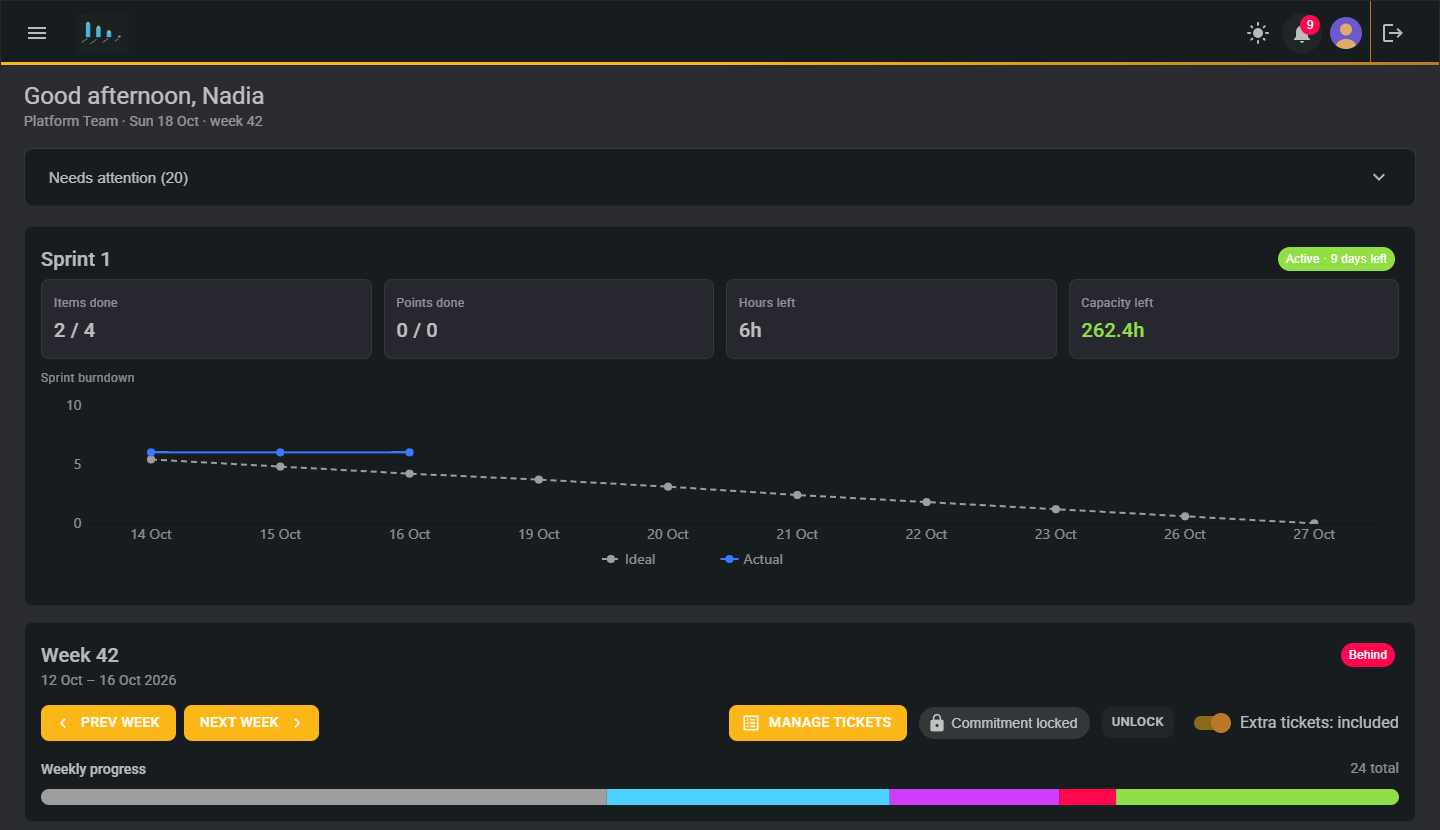
A dashboard that says what needs attention
Capacity, burndown, overdue, blocked and stale work, in one view.
Reports without the busywork
A weekly report and a project report as PDFs, with a one-line headline, ready to email.
A view for managers, with no way to change anything
Directors and heads of department see every team in the company, read-only. Fewer status meetings.
Meeting notes with a trail
Capture decisions and actions. Only the person who wrote a note can change it, and every edit is recorded.
Leave and availability
People book their own leave. The plan updates itself.
Notifications that matter
A bell and an email when something needs you, not a flood.
Ask a person
Chat to us from inside the app. Ops, our assistant, passes it to a human who can help.
Need more than Azure DevOps? The built-in tracker (work items, tree view, boards and sprints), Projects and a simple Mail box are add-ons you switch on only if you want them.
Heads of department: one view, no meetings
See every team's week and every project's projected finish date without asking for a slide. You can look at anything and change nothing, so you can trust what you see.
Your data, your people
- Each company's data is kept apart from every other company's.
- Sign in with two-factor authentication or a passkey.
- When our support team needs to look at your account, you give permission from the chat. The session ends when you say so and everything done in it is recorded.
- Your data is never deleted if you stop paying.
One licence per company. Pick the size that fits.
From R 500.00 a month for up to 5 people, up to 500 people on the largest size. Add only what you need.
Start with a free 14-day trial of everything. If you stop, the add-ons you did not choose switch off and your data is kept.
See full pricingFrequently asked
Do I need Azure DevOps?
No. If your team has none, use the built-in tracker. If you do, TeamOps reads your tickets and does not replace it.
Does it work outside South Africa?
The public holiday calendar is South African only today.
What happens after the trial?
Pick a size, or stop. The add-ons you did not choose switch off, and your data is kept.
How many teams can we have?
As many as you like on one licence.
Can managers change our plans?
No. The manager view is read-only.
Who can see our data?
Only your own people. Our support team can look only when you allow it.
How do I get help?
Chat to us from inside the app. A person answers.

See your next deadline before it sees you.
New registrations are reviewed first, then your 14-day trial starts.
Request your free trial